keep CV data private
How to keep your career documents fully private
Fully private is not one setting. It is a few honest choices about what to send, where to store it, and which tools to trust. Here is the whole-search playbook, plus how CVumi keeps your application on your machine.
Your CV is a small file that holds a lot of you. Your full name, where you live, how to reach you, every employer, every date, and sometimes your photo and your date of birth. Cover letters, references and application forms add more. Spread across job boards, inboxes, cloud folders and the odd AI tool, that adds up to a detailed map of your life, sitting in places you do not control.
Keeping your career documents fully private is not one setting you switch on. It is a handful of habits and a few honest choices about what to send, where to store it, and which tools to trust. This guide covers what to leave off in the first place, where your documents tend to leak, the hidden data inside the file itself, and how the AI layer changes the picture. At the end it shows how CVumi is built to keep the whole application on your machine.
What "fully private" means, and the one idea behind it
Fully private does not mean secret. You still want the right people to read your CV. It means you decide who holds a copy, and you are not leaving copies on servers you have forgotten about.
One idea sits under all of it. The safest piece of data is the one you never send. You cannot leak, lose or have reused a detail that never left your machine. European data-protection law leans the same way through data minimisation, the principle that you handle no more personal data than you actually need. It is a good rule to design your own habits around.
There is a legal backstop if a copy does get out. In the EU, the right to erasure lets you ask a company to delete your personal data (GDPR Article 17). Use it when you need it, and know its limits. A deletion request reaches the copies a company controls, but backups and data already shared with others can linger, and the law lists cases where the right does not apply. Asking for deletion after the fact is weaker than never sending the file. So the plan below starts with sending less, then storing what remains where you can see it.
Start by leaving data off the page
The strongest privacy move happens before you send anything. Most CVs carry details that do nothing for the application and everything for someone who wants to impersonate you.
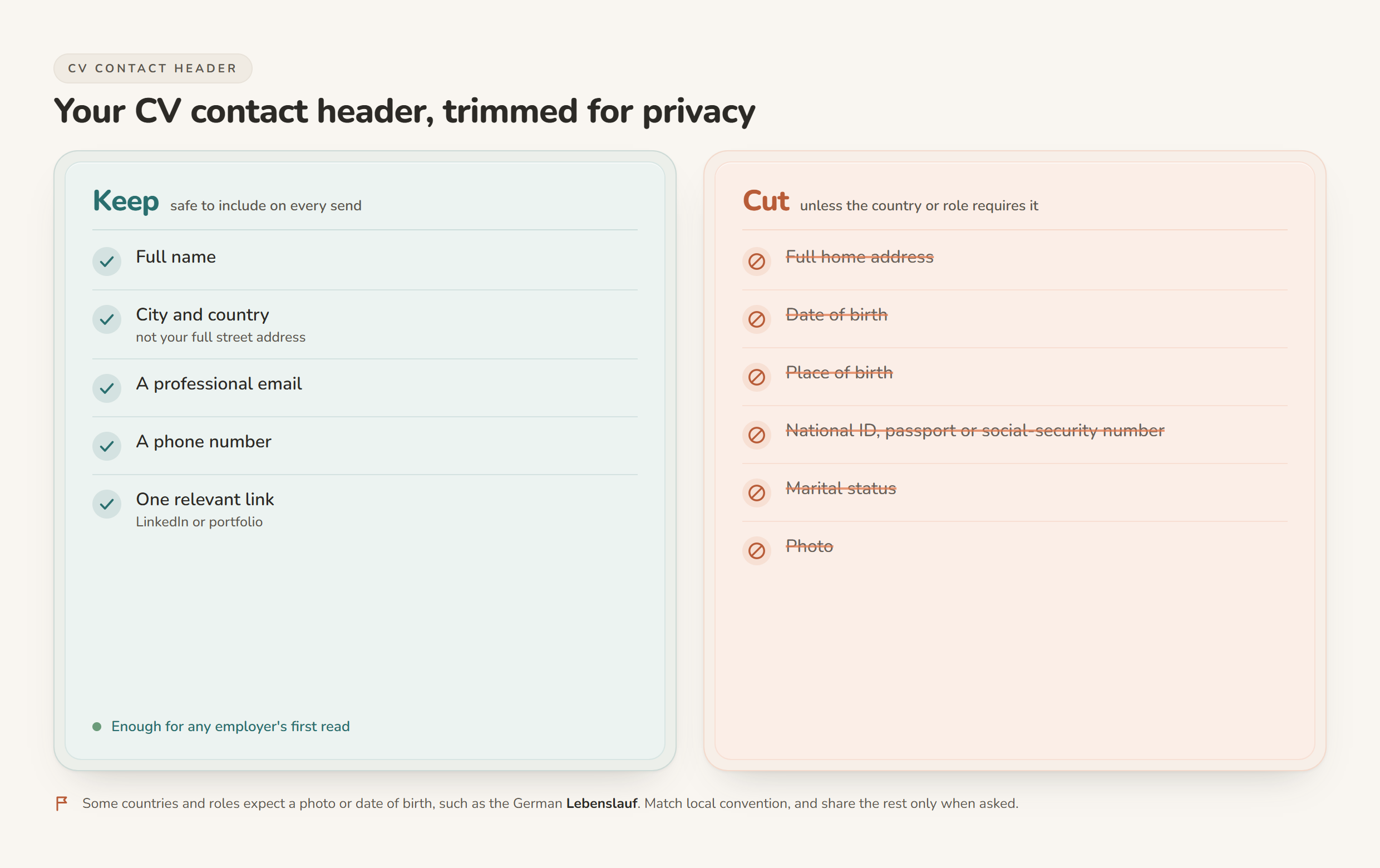
A city and country place you well enough. A full street address does not help a first read, and it is exactly what identity thieves want. Your date of birth, place of birth, marital status and any national ID, passport or social-security number have no place on a CV you email to strangers. No honest employer needs those to decide whether to interview you, and you should be wary of any early-stage form that asks for them.
There is a real exception. Some countries and roles still expect a photo or a date of birth. The German Lebenslauf is the common example. Match local convention where it genuinely applies, and share the rest only when an offer makes it necessary.
Where your career documents leak, and how to close each one
Once the file is lean, the next question is where copies end up. A job search scatters your documents across more places than most people track. Here is the map, and a way to close each gap.
| Where it can leak | What gets exposed | How to close it |
|---|---|---|
| Searchable resume databases on job boards | Your full CV, visible to any recruiter or scraper with database access | Set the profile to private or confidential and apply to roles directly |
| LinkedIn and "open to work" | Your history, and sometimes a signal your current employer can read | Use the recruiters-only setting; keep the public profile lighter than your full CV |
| Cloud docs shared by link | "Anyone with the link" quietly makes the file public and sometimes indexable | Share to named people only, or export a PDF and send that instead |
| Email drafts and attachments | Copies pile up in Sent, Drafts and the recipient's inbox, indefinitely | Send a PDF rather than an editable file; note who received which version |
| AI chatbots | Pasted text can be stored and used to train the model, depending on the plan | Use a tool that runs under your own key or on your own machine; read the policy |
| Recruiters and CV-distribution services | "Let me circulate your CV" can land it in databases you never see | Ask where it goes before you send; avoid services that harvest and blast |
| Hidden metadata in the file | Author name, edit history, comments and tracked changes travel with the document | Run your editor's document inspector, then export to PDF |
| Old copies across devices | Outdated CVs with stale details linger in Downloads and on shared machines | Keep one master in a folder you control and delete the strays |
A few of these deserve a note. Setting a job-board profile to private has a genuine tradeoff: a private CV is not in the searchable database, so recruiters cannot find you there. That is the point of it, and it is a fair trade if you would rather apply directly than sit in a database. The distribution services are the ones to watch closely. If someone offers to circulate your CV with no real connection to a specific role, treat it as data collection until you have reason to think otherwise.
The hidden data inside the file
Even a clean-looking CV can carry more than you can see. Word and similar editors store metadata inside the document: the author name, the organisation, when the file was created and last edited, comments, and any tracked changes you thought were gone. Send the editable file and all of that goes with it.
Two steps handle it. First, run your editor's inspector before you share. In Microsoft Word, File, then Info, then Check for Issues, then Inspect Document finds and removes hidden data and personal information (Microsoft Support). Work on a copy, because some of what it strips cannot be restored. Second, send a PDF rather than a Word file. A PDF is harder to edit by accident, carries less of the edit history, and looks the same on every screen. It is the format most employers expect anyway.
The AI layer: what happens when a tool rewrites your CV
AI tools are part of most job searches now, and they change where your CV goes. The convenient move, pasting your CV into a consumer chatbot and asking it to tailor the wording, is also the leakiest. Depending on the plan you are on, that text can be stored and used to train the model. Your working history is not something to hand over casually to sharpen someone else's product.
There are two cleaner routes. The first is bring-your-own-key, where the tool sends your text to a model provider under your own account rather than keeping it in the tool's own database. That only helps if the provider does not learn from what you send, which is why the provider's policy matters more than the tool's marketing. Anthropic states it plainly for its API: "By default, we will not use your inputs or outputs from our commercial products (e.g. Claude for Work, Anthropic API, Claude Gov, etc.) to train our models" (Anthropic, model training policy). Consumer chat plans follow a different policy, so the API route is the relevant one.
The second route is a tool that runs on your own machine, so the file never sits in a vendor's database at all. For a fuller look at both, see the best privacy-friendly AI CV builders in 2026 and, if your bar is that nothing may ever leave the laptop, local and offline AI resume tools compared. For the tailoring method itself, how to tailor a CV to a job description without uploading it to the cloud walks through it step by step.
A privacy checklist you can run today
- Trim the file to name, city and country, a professional email, a phone number and one relevant link. Cut the street address, date of birth and any ID number unless local convention truly requires it.
- Send PDFs, not editable files, and run the document inspector first.
- Set job-board profiles to private if you would rather apply directly than be listed in a searchable database.
- Check "anyone with the link" sharing on any cloud copy and turn it off.
- Keep one master CV in a folder you control, and clear stray copies out of Downloads and off shared machines.
- Before you use an AI tool, find out where your text goes: its own servers, your own key, or your own machine.
- Keep a short list of who holds which version, so you know who to contact if you ever need a copy removed.
How CVumi keeps your whole application private
CVumi is built around the same idea this guide argues for. It is a desktop app for Windows and macOS. Your CV, your master profile and your past applications live in a folder you pick on your own computer. There is no CVumi server holding your documents, and the company never sees them. You do not need an account to use it; an email address is only needed at purchase.
When an AI step runs, the request goes straight from your machine to your chosen AI provider under your own API key, not through a CVumi database that keeps a copy. So the chain stays short: your file on your disk, one request under your key, and a provider that does not fold that request into its training set.
From your history and a job description, CVumi writes a tailored CV, a matching cover letter and a covering email in one pass. Its fit analysis shows where you genuinely match the role and where the real gaps are, drawn only from your actual experience. It does not invent achievements to fill a blank.
When the application is ready, one click opens your normal email client with the CV and cover letter already attached, so you review and send it yourself. Nothing goes out on your behalf.
One honest point, the same one worth making about any tool built on a hosted model. CVumi is local, not offline. The AI steps need a connection. The difference from a cloud builder is that your documents are not parked on a server to be stored and reused; they stay with you, and any request runs under your own key. If you want the full detail on how your data is handled, the CVumi privacy policy spells it out.
On cost, CVumi is a one-time payment: 69 EUR for the standard licence with three device activations, or 34 EUR with a student email. There is no subscription and no per-application credit. If you are weighing that against a monthly tool, see one-time payment vs subscription resume builders.
The short version
Keeping your career documents fully private is mostly about sending less and knowing where the rest lives. Trim the file, send PDFs, watch the sharing settings, and pick tools that do not need a copy of your history to help you. None of it guarantees an interview. It does keep the one document that describes your whole working life in your own hands.
Ready to keep the file yours? Download CVumi. One payment, your documents stay local, and you keep the key.