is it safe to upload CV to ChatGPT
Is it safe to upload your CV to ChatGPT?
Pasting your CV into ChatGPT is not reckless, but it is not neutral either. Here is what happens to the file, which single setting changes the answer, and how to get the same help without sending it anywhere.
The short answer: it is usually not dangerous, and it is never neutral. Your CV is the densest file of personal data you own, and pasting it into a chat window puts a copy of it somewhere you no longer control.
That does not make ChatGPT a bad tool. It makes it a tool with terms you should read once before you use it on the most sensitive document in your job search. This article covers what actually happens to the file, the one setting that changes the answer most, what a CV contains that a normal document does not, and how to get the same tailoring without the upload.
What is actually in a CV
People think of a CV as a professional document. To a data protection lawyer it is a dossier. A single file typically holds your full legal name, home address, personal phone number, private email address, every employer and every date going back a decade, your education, and often your photo and date of birth.
In the wrong hands that is enough for convincing identity fraud and for targeted phishing that names your actual manager. In the EU some of it may also be special category data under Article 9 of the GDPR, for example if your CV mentions trade union work, a health-related career break, or religious volunteering.
That is the real reason to slow down. Not that ChatGPT is malicious, but that the file is worth more than it looks.
The setting that changes the answer
The most important fact about ChatGPT and your data is that the answer differs by product, and most people never learn which one they are using.
On the consumer tiers, Free and Plus, OpenAI may use your conversations to improve its models unless you turn that off. The control lives in Settings, under Data Controls. Turning it off does not delete what you already sent, so the setting is worth changing before you paste a CV, not after.
On the API, and on the Team and Enterprise tiers, the default is the opposite: content is not used for training unless you opt in. OpenAI's published position is that API inputs and outputs are retained for a limited window for abuse monitoring and then deleted, unless a legal obligation requires otherwise.
This distinction is the whole ballgame, and it is invisible from inside the chat window. The same model, reached two different ways, comes with two different default answers about your career history.
The same split applies to every assistant
ChatGPT gets named in the search, but nothing here is specific to OpenAI. Every major assistant runs the same two-tier arrangement, and the tier you are on matters more than the brand.
| Assistant | Consumer app default | Developer API default |
|---|---|---|
| ChatGPT (OpenAI) | May use chats to improve models unless you opt out in Data Controls | Not used for training by default |
| Gemini (Google) | Human reviewers may read sampled conversations; activity controls govern retention | Not used for training by default |
| Claude (Anthropic) | Not used for training by default | Not used for training by default |
| Grok (xAI) | Consumer data may be used for training; check the account setting | Not used for training by default |
| Perplexity | Retains searches and threads; account setting governs training use | Not used for training by default |
Two things fall out of that table. First, the consumer tier is where the ambiguity lives across all of them, so "is it safe" is usually a question about which door you walked through rather than which company you chose. Second, the developer API is consistently the stricter setting, which is the opposite of what most people assume.
Policies change, so treat the table as a prompt to check rather than a permanent fact. The question to search for is always the same: does this product use my inputs for training by default, and where is that setting.
The three risks worth naming
Training. If your chat can be used to improve a model, your career history becomes part of a training corpus. In practice the risk of a model reciting your address back to a stranger is low, and it is not zero. This one is fully in your control through the setting above.
Retention and human review. Even with training off, conversations are stored. Providers review a sample of content for abuse and safety. That is a reasonable thing for them to do and it still means a human may read what you sent.
Account compromise and breaches. This is the risk people underrate. Your chat history is only as private as your password. A reused password on an AI account now exposes a decade of your employment history, not just a conversation.
What is fine, and what is not
Not every use needs the whole file. The honest split looks like this.
- Fine: asking for phrasing help on one bullet point, checking whether a sentence sounds passive, generating interview questions from a public job advert, explaining what an unfamiliar job title means.
- Worth thinking about: pasting a full work history with employers and dates, even without contact details.
- Avoid: uploading the finished PDF with your address, phone number and date of birth, on an account with model training left on.
If you use it anyway, redact first
Most of the value comes from the content, not the identifiers. You can strip a surprising amount before pasting and lose nothing useful.
- Replace your name with a placeholder such as "the candidate".
- Delete your home address, phone number and date of birth entirely. No CV advice depends on them.
- Replace employer names with descriptions, for example "a 40-person logistics firm" instead of the company name, unless the brand is the point.
- Keep the achievements, numbers and dates. That is what the model needs to be useful.
A redacted CV gets you roughly the same quality of feedback with a fraction of the exposure. It takes about two minutes.
The alternative: same model, different terms
There is a third option most people never consider, because the market is built around browser tools. You can run the tailoring on your own machine and reach the model through your own API key.
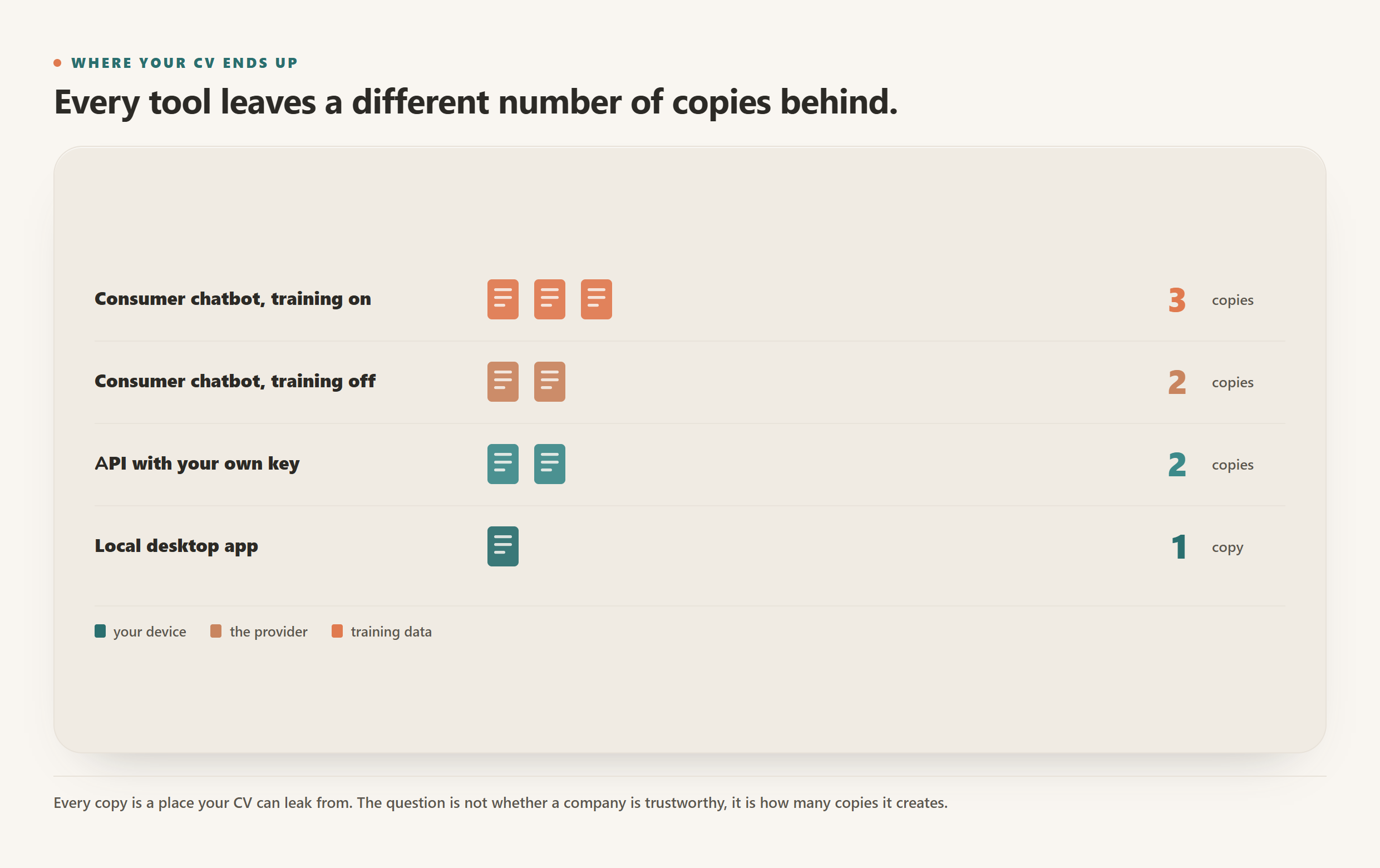
That single change moves you from consumer terms to API terms, where content is not used for training by default, whichever provider you prefer. It also removes the vendor database in the middle: there is no CV builder holding a copy of your file, because the file never leaves your computer.
This is how CVumi works. It is a desktop app for Windows and macOS. Your master profile, your documents and your past applications live in a folder you choose on your own machine. When an AI step runs, the request goes from your computer to the model provider under your own key, and comes back. There is no CVumi server storing your CV, because there is no CVumi server in the path at all.
You pick the provider: Anthropic, OpenAI, Google, xAI or Perplexity. You are not tied to one company's terms, one company's pricing or one company's outage, and if a provider changes a policy you dislike, you swap the key rather than the tool. It is a one-time payment: 69 EUR for a standard licence with three device activations, or 34 EUR with a student email, plus whatever your provider charges for the tokens you actually use.
| Where you work | Who holds a copy of your CV | Used for training by default | What you pay |
|---|---|---|---|
| Consumer chatbot, training on | You and the provider | Yes, unless you turn it off | Free or a monthly subscription |
| Consumer chatbot, training off | You and the provider | No | Free or a monthly subscription |
| Cloud CV builder | You, the builder, and its model provider | Depends on two policies, not one | Usually a monthly subscription |
| Local app with your own key | You | No, API terms apply | One-time licence plus your own token use |
The honest conclusion
Uploading your CV to ChatGPT is not a mistake. Doing it without knowing which tier you are on, with model training left on, using the unredacted PDF that has your home address in the header, is the part worth fixing.
If you only change one thing today, open Data Controls and turn off model training before your next session. If you are willing to change two, stop uploading the file at all and do the work where the file already lives.
For the wider picture on how these tools handle your data, see are AI CV builders safe and how to keep your career documents fully private.